
Locking a Uniswap V3/V4 position
Lock a Uniswap V3 or V4 liquidity position (NFT) on Robinhood Chain: pick it from your wallet's positions, choose an unlock date, approve and lock — and keep collecting its trading fees while it's locked.
Updated 3 min read
On this page4 sections
Uniswap V3 and V4 liquidity is held as an NFT (a position), not as a fungible LP token. Titan Locker locks that NFT and — unlike a plain lock — lets you keep collecting the position's accrued trading fees the whole time it's locked, so proving your liquidity is locked doesn't cost you the fee income.
On the Create page, choose “Uniswap V3 / V4” under “What are you locking?”. Uniswap v2, v3 and v4 are all live on Robinhood Chain; V2 LP tokens lock through “Token / LP lock” instead (see Locking LP tokens).
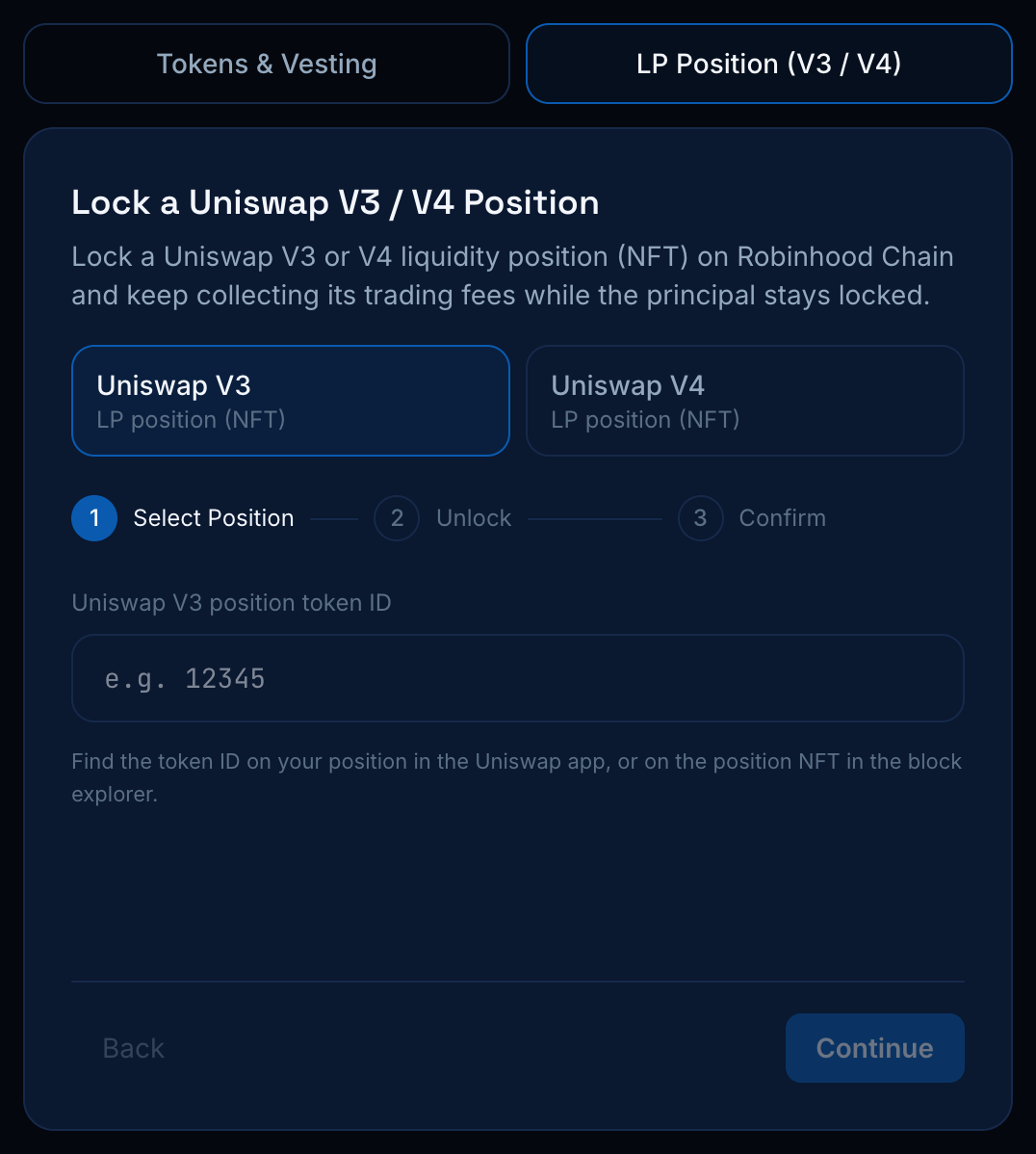
1. Choose a position
Connect your wallet and Titan Locker lists the Uniswap positions it holds: each row shows the pair (with token logos), a V3 or V4 badge, the fee tier and the position ID, live positions first. A position with no liquidity left is flagged “no liquidity”, since locking it would lock nothing. Click a row to select it; Refresh reloads the list.
To find one position among many, type in the filter box: paste a token's contract address to show only positions in pools with that token, or type a symbol (WETH) or a position ID.
V3 positions are read straight from the chain. V4's position contract can't list a wallet's positions on-chain, so V4 positions come from Titan's own index of position transfers — a position you created moments ago may take a little while to appear. If one isn't listed, open “Enter a position ID instead”, pick Uniswap V3 or V4 and type its ID (shown on the position in the Uniswap app, or on the position NFT in the block explorer). Titan Locker checks that your wallet owns it and shows its pair and fee tier before you continue.
2. Unlock date
Pick a preset (1M, 3M, 6M, 1Y, 2Y) or an exact date and time. The position NFT stays locked until then; trading fees can be collected at any time before that.
3. Approve & lock
Press “Approve & lock position”. The progress window takes you through two wallet confirmations — approving the position NFT to the Titan Locker manager contract (V2.2; a one-time ERC-721 approval for that position), then the lock itself — and finishes with a “View lock” link to the new certificate. The manager pulls the NFT into a fresh, isolated lock contract. Position locks always pay the flat fee (0.025 ETH on Robinhood Chain, 1 HYPE on Elysium); there's no percentage option, since a position can't be split.
Collecting fees while locked
Open the lock's certificate page and press “Collect trading fees” at any time to send the position's accrued fees, in both of the pool's tokens, straight to your wallet. The locked liquidity stays put until the unlock date — collecting never withdraws the principal.