
How to launch a token
Step-by-step: launch a token on Robinhood Chain with Titan Deployer from the web terminal, with an optional first buy, paid in ETH, in the same transaction.
Updated 2 min read
On this page2 sections
The launch itself is one transaction and costs nothing beyond gas. You need a wallet on Robinhood Chain with a little ETH for gas — plus more ETH if you want to make a first buy.
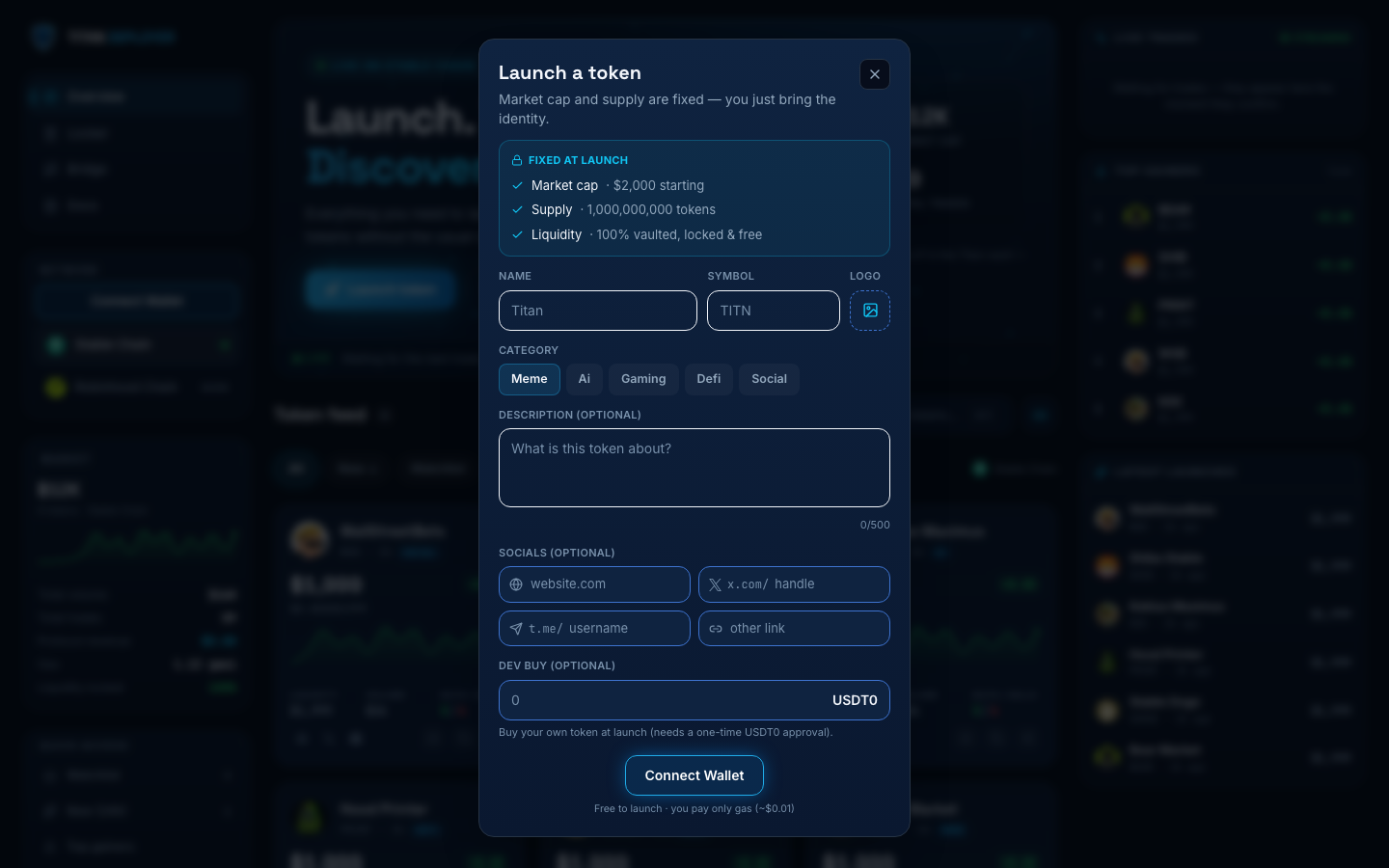
From the web terminal
- Open titan.fun/robinhood and connect your wallet (switch to Robinhood Chain if prompted).
- Click Launch token. Enter the token name and symbol, and upload a logo — the logo is pinned to IPFS and served from Titan's gateway.
- Pick a category tag (meme, ai, gaming, defi, social) and optionally add a description of up to 500 characters — both stored on-chain.
- Optionally add a website, X (Twitter) link, Telegram link, or one other link. These are stored with the launch and shown on the token page.
- Optionally set a dev buy amount in ETH. It executes as a real swap in the launch transaction itself, so you buy at the opening price before anyone else can. The ETH is sent with the launch and wrapped into WETH by the factory, so there is no approval step.
- Confirm the transaction. When it lands you're redirected to the new token's live page.
What the launch transaction does
- Deploys the ERC-20 with a fixed 1,000,000,000 supply.
- Creates the Uniswap V3 pool at the 1% fee tier against WETH, priced so the full supply is worth 1 ETH.
- Mints a one-sided liquidity position holding the entire supply.
- Locks that position NFT in the Titan Locker vault for 100 years — with no withdraw path in the contract, and extendable by anyone for another 100 years.
- Executes your dev buy, if you set one: the ETH sent with the transaction is wrapped into WETH and swapped.
- Emits TokenLaunched — the feed indexes it and the token appears in the live terminal within a few seconds.